Security & assurance
Turn cloud security state into accountable evidence
Microsoft's tools tell you that a recommendation exists. Cloudivence adds what it affects, who answers for it, which requirement it bears on and what evidence supports the conclusion.
From a finding to a decision
What happens to one finding
Azure and Defender report the first step. Cloudivence adds the four after it, and keeps all five.
- 01
Finding
CriticalPublic IP with critical NSG exposure
A public IP attached, no WAF in front, a network rule rated critical.
- 02
Resource
Productionvm-fleet-tracker-prd-weu-001
A virtual machine of the fleet tracking application.
- 03
Owner
DatedTechnical owner of fleet tracking
Named in the application record, with the date the role started.
- 04
Control
EvidenceNetwork access is restricted
A CyberFundamentals control and an NIS2 Article 21 measure. The rule and the IP are its evidence.
- 05
Decision
Target 7 daysFix, assigned by hand
A critical finding has a 7 day target from detection. An exemption instead records who decided and why.
Azure security context
- Microsoft Defender for Cloud recommendations and secure score, and Azure Policy compliance per resource and assignment.
- Role assignments at every scope, with the principal's name, and the activity log showing who changed what over 90 days.
- Network exposure from network security group, firewall and WAF rules.
- Storage account settings such as public access and soft delete, and backup protection per resource.
- Azure retirements that affect your resources, with the decision taken and its planned change window.
- All of it read for the same resources the cost belongs to, so a finding has the same owner as the spend.
 Cloudivence Fictive Corp demo datademo data
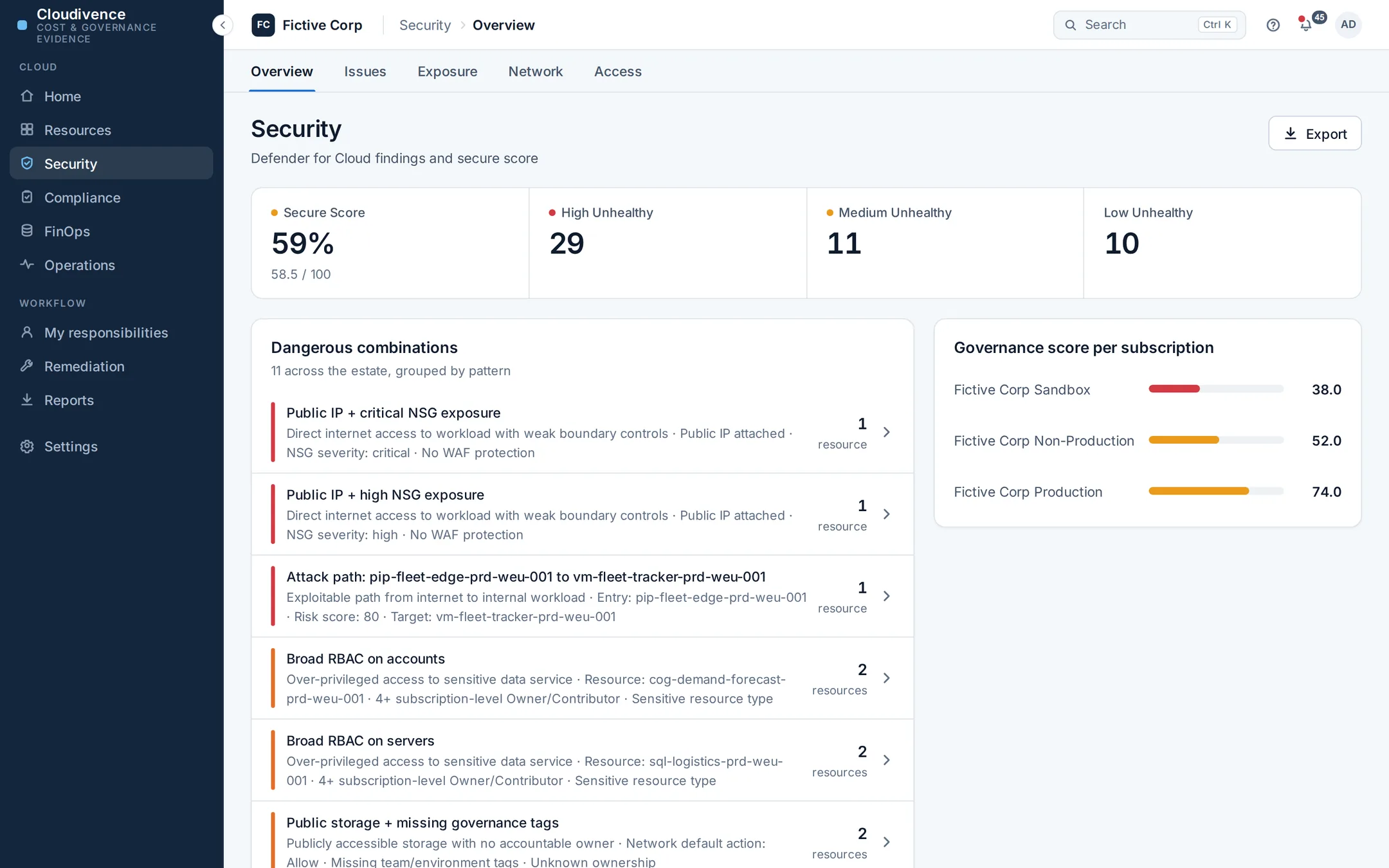
Controls and assurance
- The CCB CyberFundamentals 2023 control set, 219 controls across Basic, Important and Essential, and the NIS2 Article 21(2)(a) to (j) measures, assessed from the collected evidence when the operator runs the assessment.
- Each control is compliant, partial, non compliant, attested, planned, not assessed or not applicable. Not assessed means the evidence is missing, and it counts against the score until someone provides it.
- Controls that Azure cannot show, such as a procedure or a training, are attested with the name of the person attesting, an evidence link and an optional review date.
- An evidence pack per assessment as an Excel workbook at the assurance level you choose, kept in the report history.
Accountability
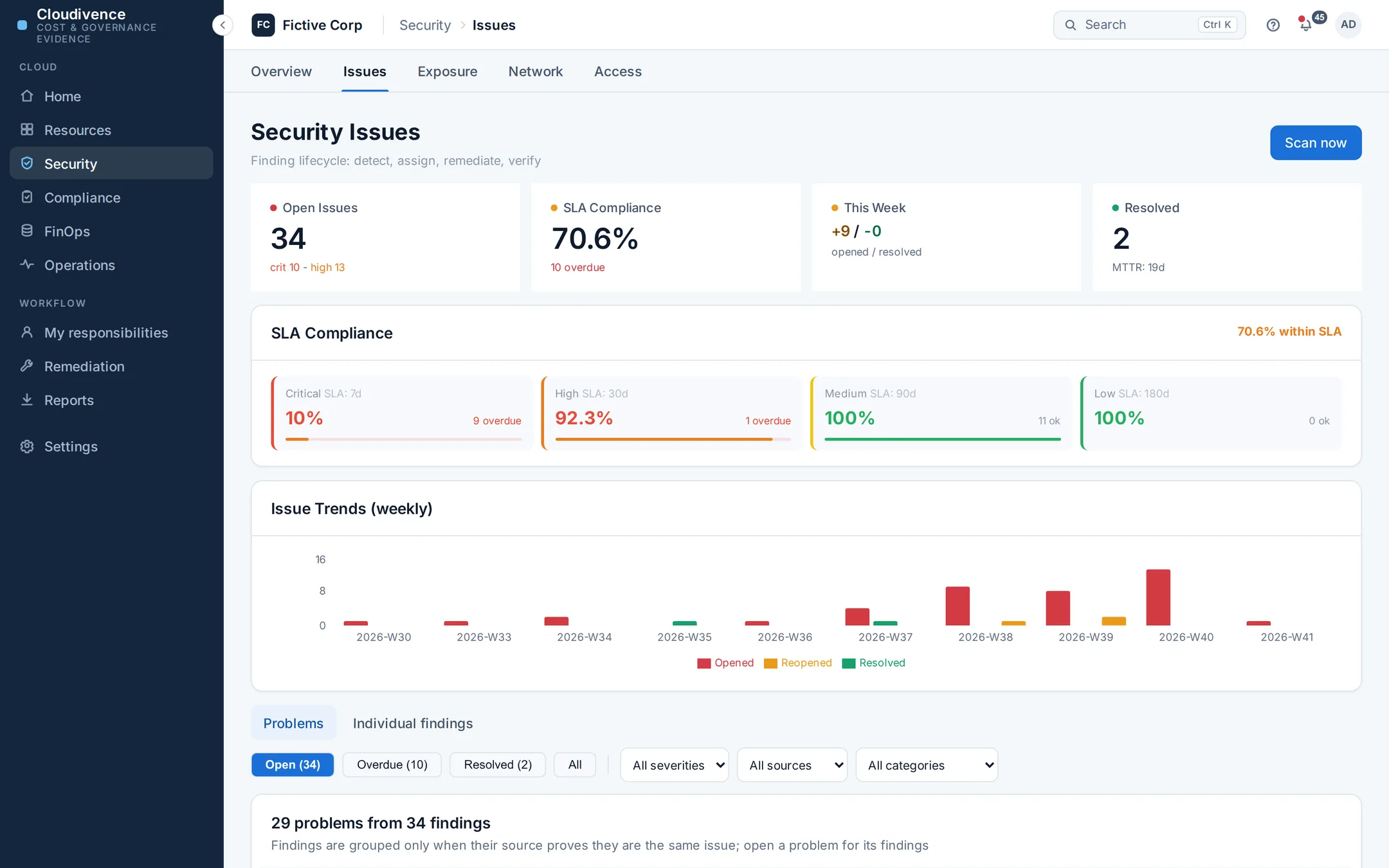
- Findings that are provably the same issue on different resources, the same Defender assessment or the same policy, are grouped into one problem. Grouping uses those identifiers and never a similar looking title.
- A person assigns a finding to an owner with a due date, and can link it to a ticket in another system.
- An exemption records who made it and why. A control exception has an expiry date and is marked expired once it passes.
- Each collection reopens findings that come back and closes those proven gone, and the changelog keeps when each one appeared, closed or returned.
Cloudivence Fictive Corp demo datademo data 
Alongside Microsoft security tooling
Cloudivence reads what Defender for Cloud, Azure Policy and Azure itself report, and keeps that as evidence. It runs no scanner and no agent, watches no live traffic and detects no threats. Keep the tools that do that. Cloudivence makes their output answerable to an owner and usable in an audit.
Unknown is a state of its own
A control without evidence is reported as not assessed, and it counts against the score where everyone can see it until the evidence is there. A control leaves the score only when it does not apply to you.
Try it on your own Azure bill
Pilots run with our help today: we agree the scope and the read access with you, then work through one or two closed months together.