Know where the number came from.
Every Azure cost explained. Every finding owned.
Cloudivence brings Azure spending, application ownership and security evidence together, and traces every figure and decision back to its source.
The demo runs on Fictive Corp, a synthetic company: read only, an access link by email. Or read about the platform
- Read only on Azure
- No agent to install
- Made in Belgium by GenioCT
 Cloudivence Fictive Corp demo datademo data
Three questions a dashboard does not answer
01
Why does the invoice not match the portal?
The CSP invoice and Azure cost data rarely agree line for line. Someone has to show where they differ.
02
Who answers for this cost?
Teams change and shared platforms serve everyone. Without dated ownership, last year's figures move with every new mapping.
03
Who answers for this finding?
Defender lists what is wrong. It does not say which application it affects or what was decided.
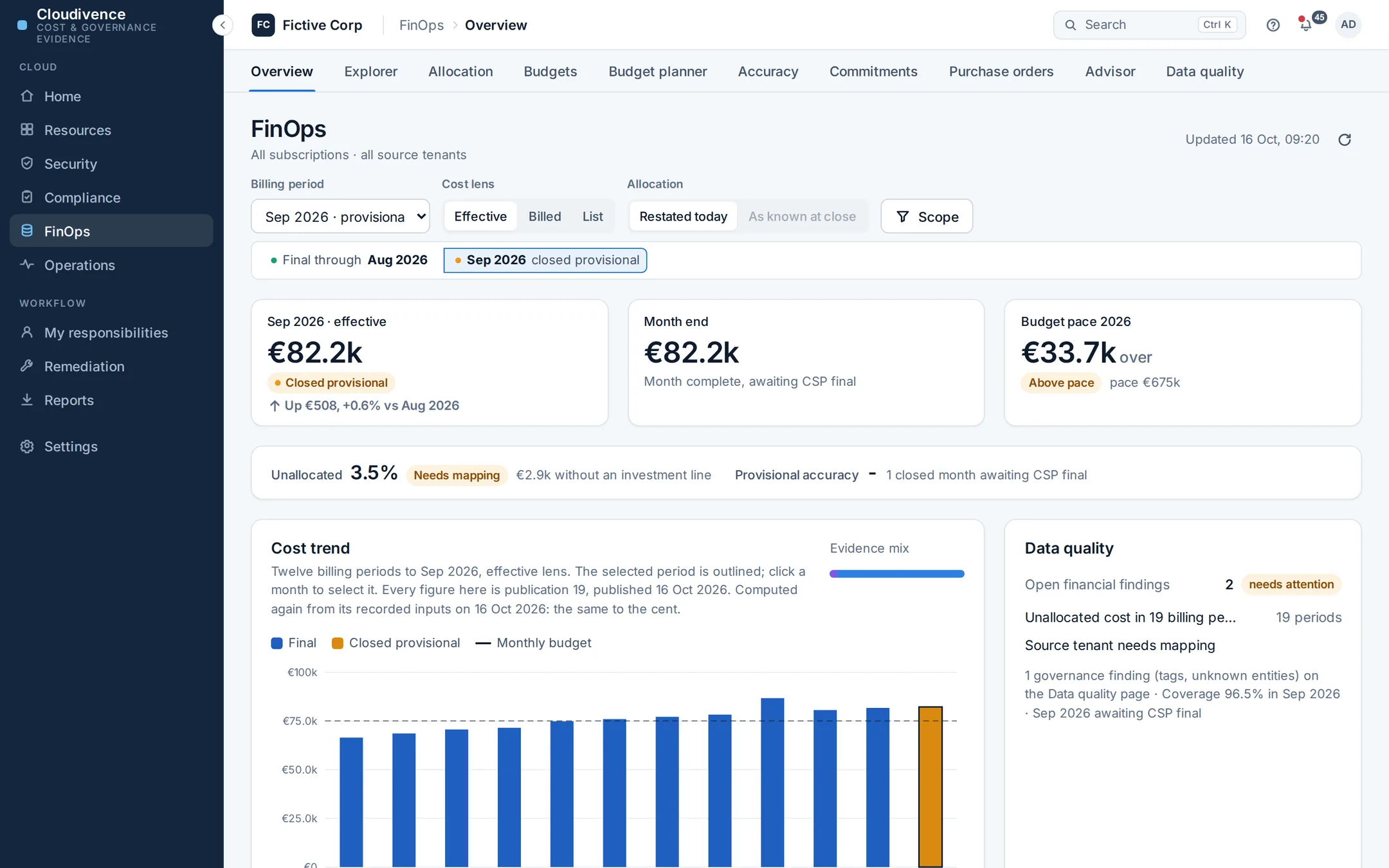
Financial governance
From Azure spending to financial accountability
- Reconcile the invoice
- The CSP invoice is checked against Azure cost every month. A month is final only when its checks pass.
- Allocate every cost
- Budget lines, applications and owners from one mapping with its history. What has no owner stays visible.
- Know what is coming
- Budgets against actuals, a month end forecast, and the planned changes behind next year's figure.
Cloudivence Fictive Corp demo datademo data 
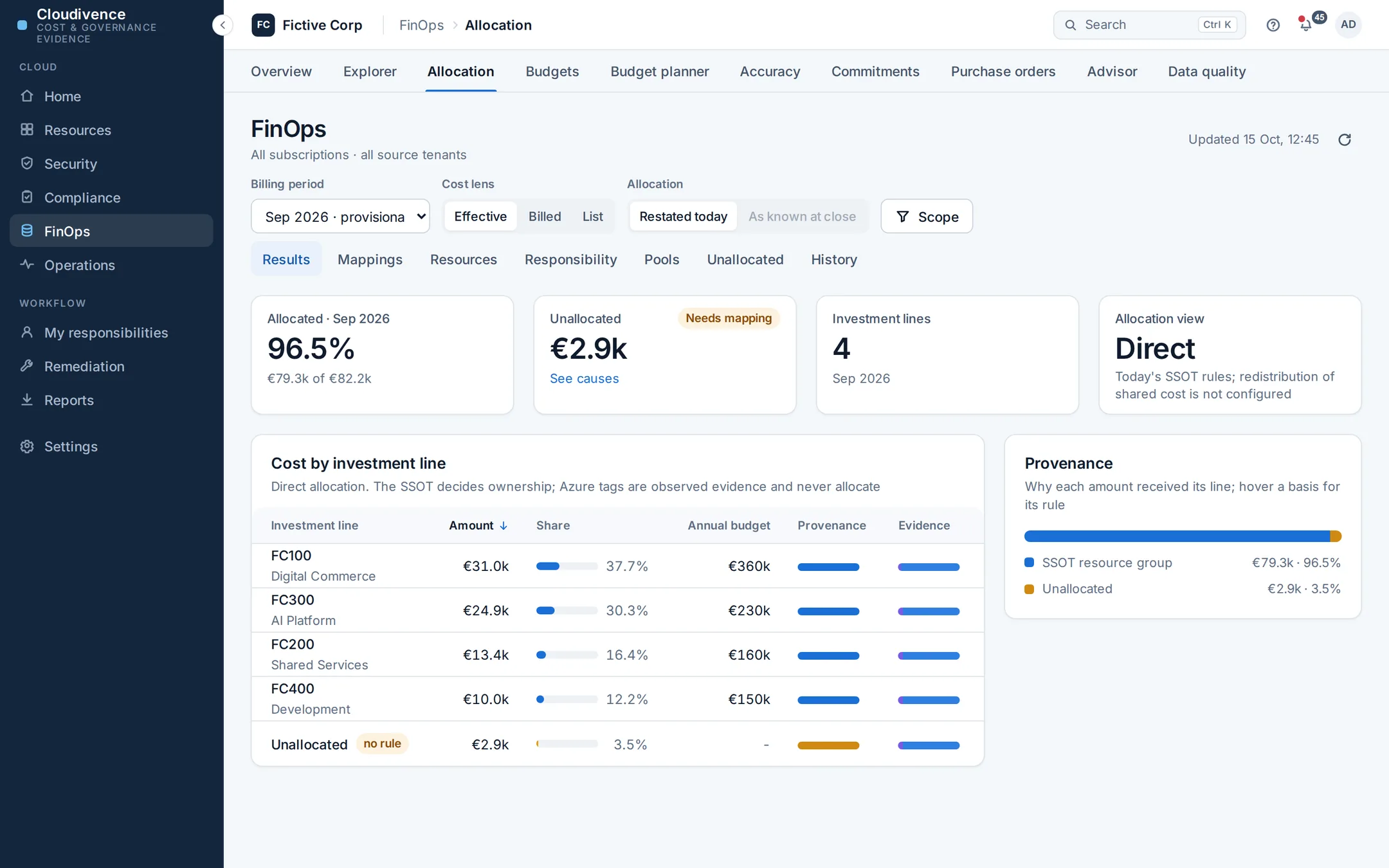
Security & assurance
From security findings to accountable decisions
- Findings in context
- Defender, Azure Policy, access, network, storage and backup state, for the resources the cost belongs to.
- Grouped by proof
- Findings are grouped only when their source proves they are the same issue, and a person can give each one an owner and a due date.
- Controls you can defend
- CyberFundamentals and NIS2 controls assessed from that evidence, with attestations and control exceptions kept on file.
Cloudivence Fictive Corp demo datademo data 
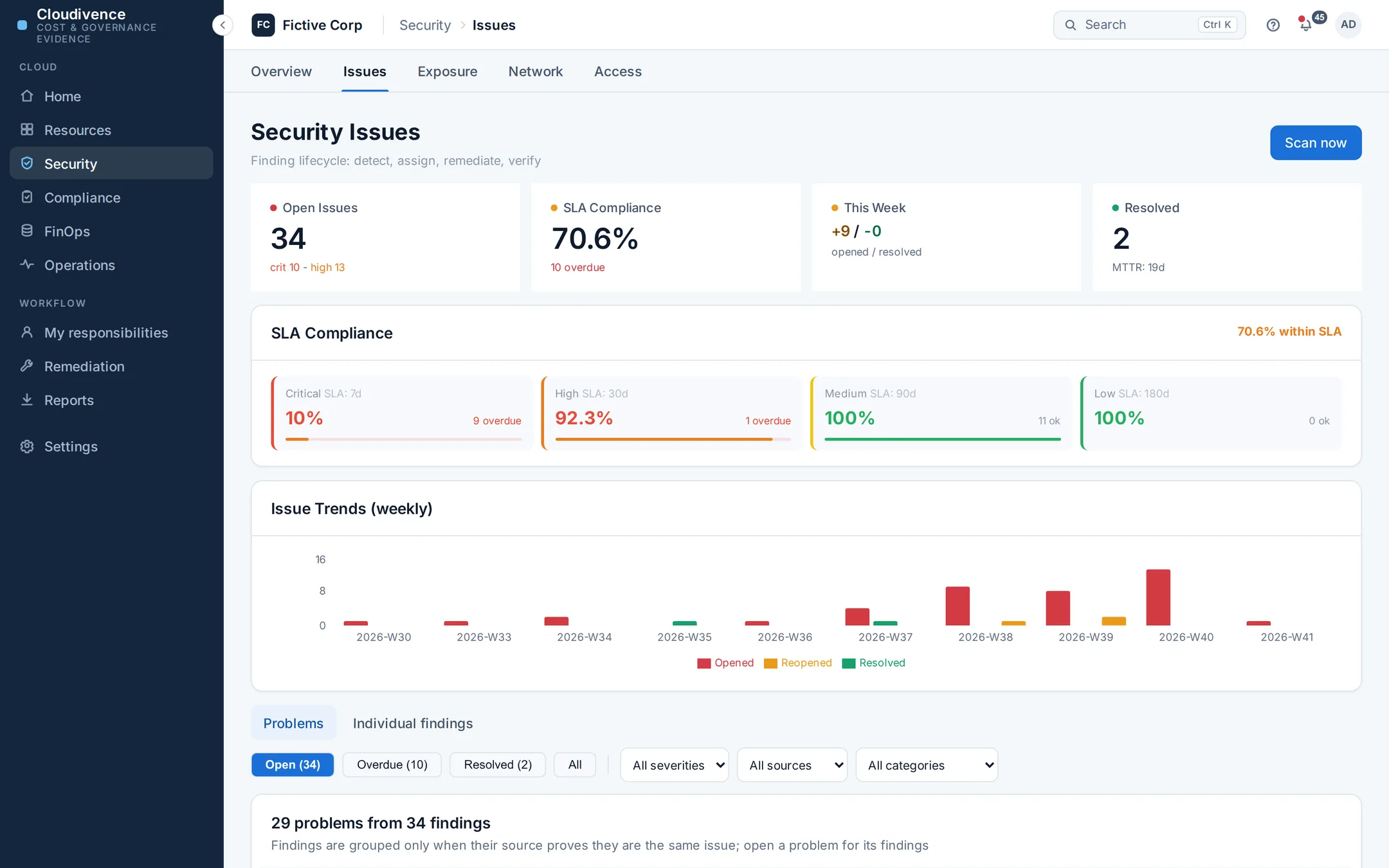
Ownership & evidence
One application, as its owner sees it
- Its cost, month by month
- Final and provisional months, and the services the application is made of.
- What is open on it
- The findings on its resources, without searching every subscription.
- Who answers for it
- Business and technical owner, now and before, and the budget lines it is mapped to.
Cloudivence Fictive Corp demo datademo data 
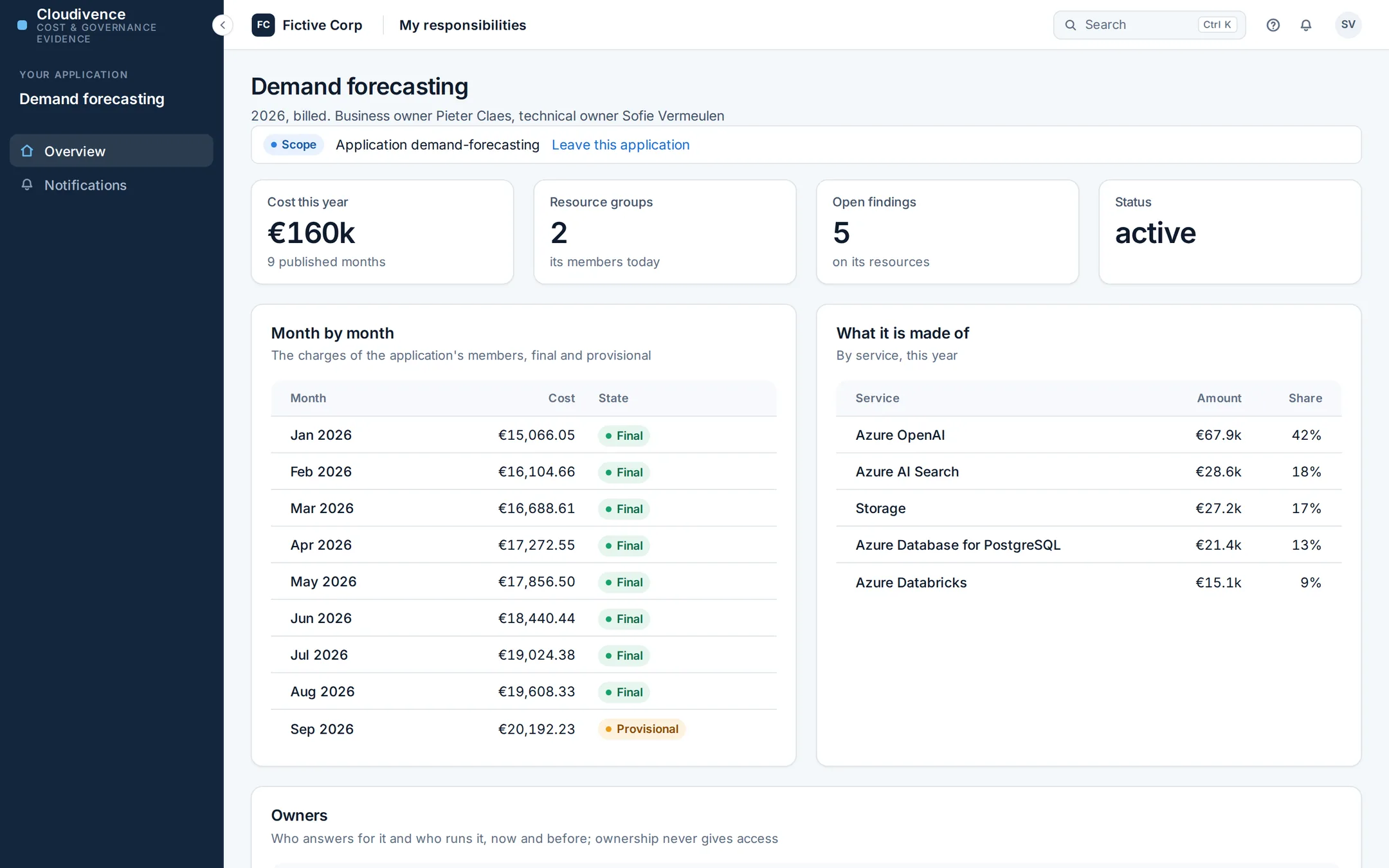
The evidence model
Two paths, one owner, one evidence trail
Cost questions and security questions start from the same Azure resources and end with the same owners. Cloudivence keeps that connection, step by step.
Trust
Answers you can defend
Read only
Cloudivence reads Azure and changes nothing. No write roles, no agent.
Unknown stays unknown
Missing evidence is shown as missing, never as compliant or as zero.
Owners before dashboards
Every amount and finding leads to the person who answers for it.
Clear about maturity
Available today, assisted pilot or planned: the Trust page says which.
How a pilot works
Four steps to a figure you can defend
- 01 Connect read access. Read roles on the subscriptions you choose.
- 02 Bring the invoice. Your CSP reseller's monthly workbook, kept as received.
- 03 Map ownership. Your current spreadsheet, imported as a change set you review.
- 04 Read, explain and act. Every figure and finding opens on its evidence.
Pilots are assisted today. Invoice reconciliation supports one CSP reseller's workbook format, and others are added as needed. How it works
Try it on your own Azure bill
Pilots run with our help today: we agree the scope and the read access with you, then work through one or two closed months together.